Hotelizer PMS July 2026: Smart tools for better operations and more bookings!
Streamline your team's daily operations, stay informed about everything happening at your property, and increase your bookings.


Increase your bookings with personalized offers
With the Offers feature in hotelizer, you can create provisional reservations and send them as personalized offers to potential guests with a specified expiration date. At the same time, you can ensure that no booking inquiry received over the phone goes to waste. Offers allow you to record every request you receive and make the most of it, while the overview gives you a clear picture of which inquiries were converted into bookings and which were not.
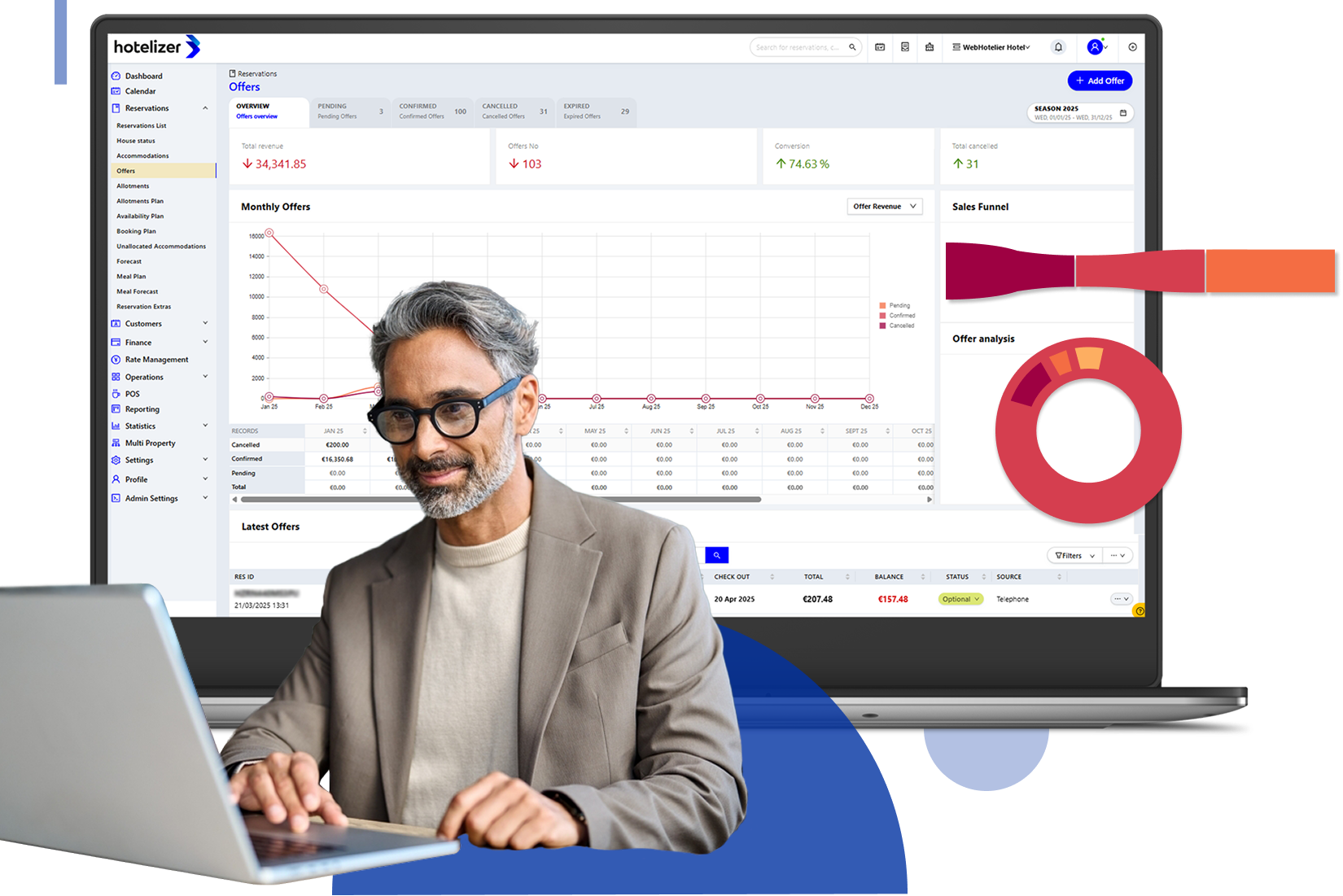
How do Offers work?
Step 1: Create a provisional reservation in hotelizer.
Step 2: Send the offer to your guest with an acceptance deadline.
Step 3: The guest confirms and pays for the reservation instantly via a Payment Link.
Key Benefits of Offers
✔ Faster booking process: Guests can accept and pay for the offer instantly.
✔ No payment delays: Payments are completed online, eliminating the need to send proof of bank transfers.
✔ More bookings, fewer emails: Put an end to endless email exchanges and daily bank account checks.
✔ Capture phone inquiries: Never miss an opportunity—organize, track, and convert every booking request.
With Offers & Payment Links, the booking process becomes faster, easier, and more profitable for your business.
Organize & Track Your Daily Tasks
Keeping daily operations organized is essential for the smooth running of any hotel or accommodation. Handwritten notes, sticky notes at the reception desk, and tasks shared through group chats can lead to lower team productivity, missed information, and dissatisfied guests. From small details, such as placing a fruit basket in a VIP room, to important payment reminders, every task needs to be completed on time.
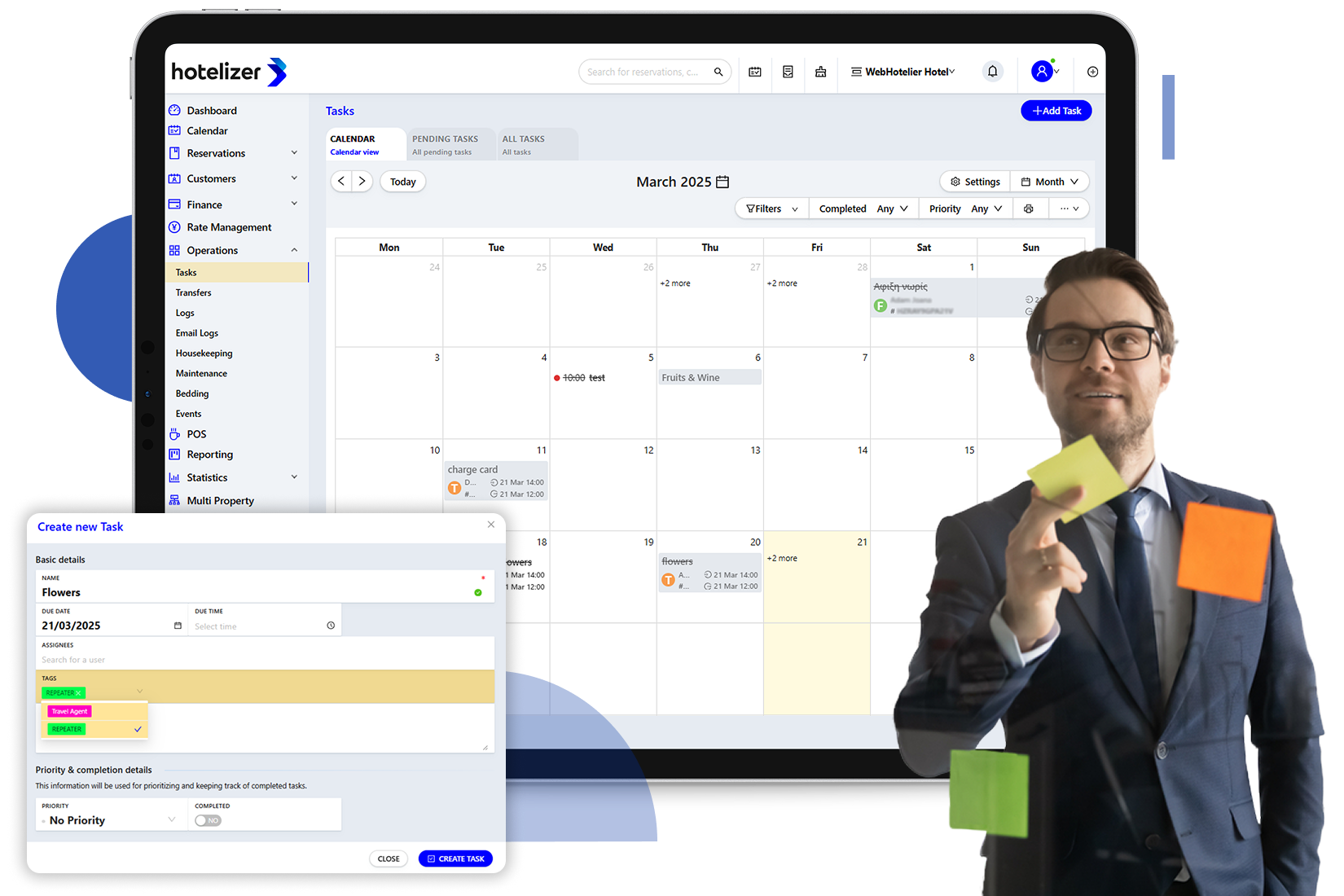
With the Tasks feature in hotelizer, task management becomes organized, efficient, and seamless.
How do Tasks help you?
- Assign responsibilities with clarity: Define who is responsible for each task and ensure everything gets done on time.
- Scheduled reminders: Never miss a task, thanks to timely follow-up reminders.
- Task monitoring and oversight: Managers can track the status of every task, ensuring successful completion.
The Tasks feature in hotelizer is the modern way to keep your team organized and deliver the best possible guest experience.
Push Notifications: Stay Informed, Even When the App Isn't Open
Push Notifications allow you to receive alerts for:
- New bookings
- Booking changes or cancellations
- Check-ins & check-outs
- And many more important events
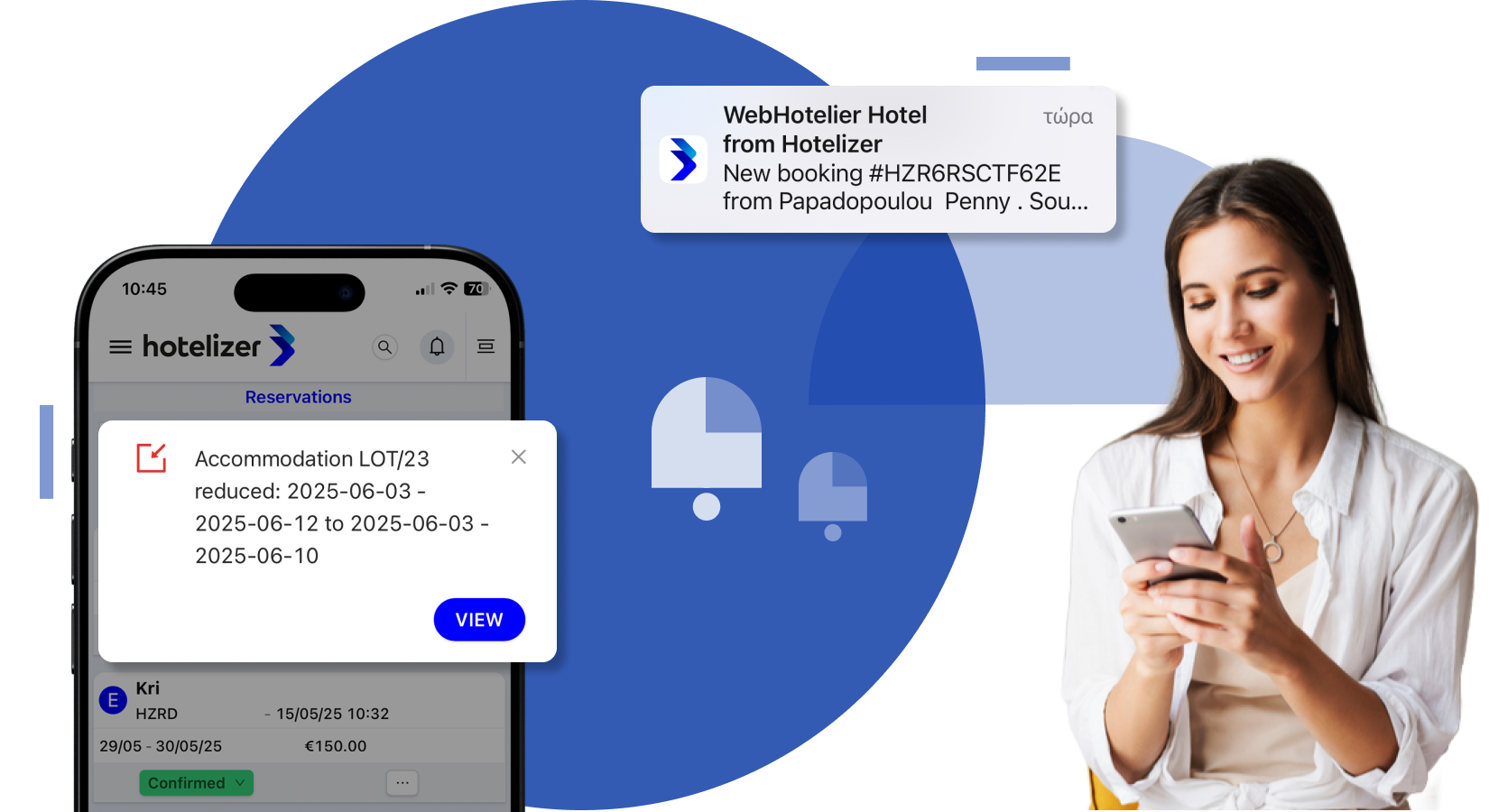
How do they work?
*** On desktop (Windows/Mac):** Receive notifications directly in your browser, even if it's minimized or you're working in another tab.
*** On mobile devices (iOS & Android):** To receive push notifications even when the app is closed or your device is locked, simply install the hotelizer Progressive Web App (PWA).
Customize Your Notifications
In your profile settings, you can:
- Enable push notifications for your preferred browser.
- Choose when and how you'd like to receive notifications (in-app or via push notifications).
- Select exactly which events you'd like to be notified about from a comprehensive list of options.
Ideal for:
Hotel managers on the go, housekeeping staff, reservation teams, and anyone who needs real-time updates on hotel operations.
How to Install the Progressive Web App (PWA):
Hotelizer works as a Progressive Web App (PWA), allowing you to use it just like a native application on your desktop, smartphone, or tablet.
Installation is quick and easy and is supported on Mac, Windows, iOS, and Android devices.
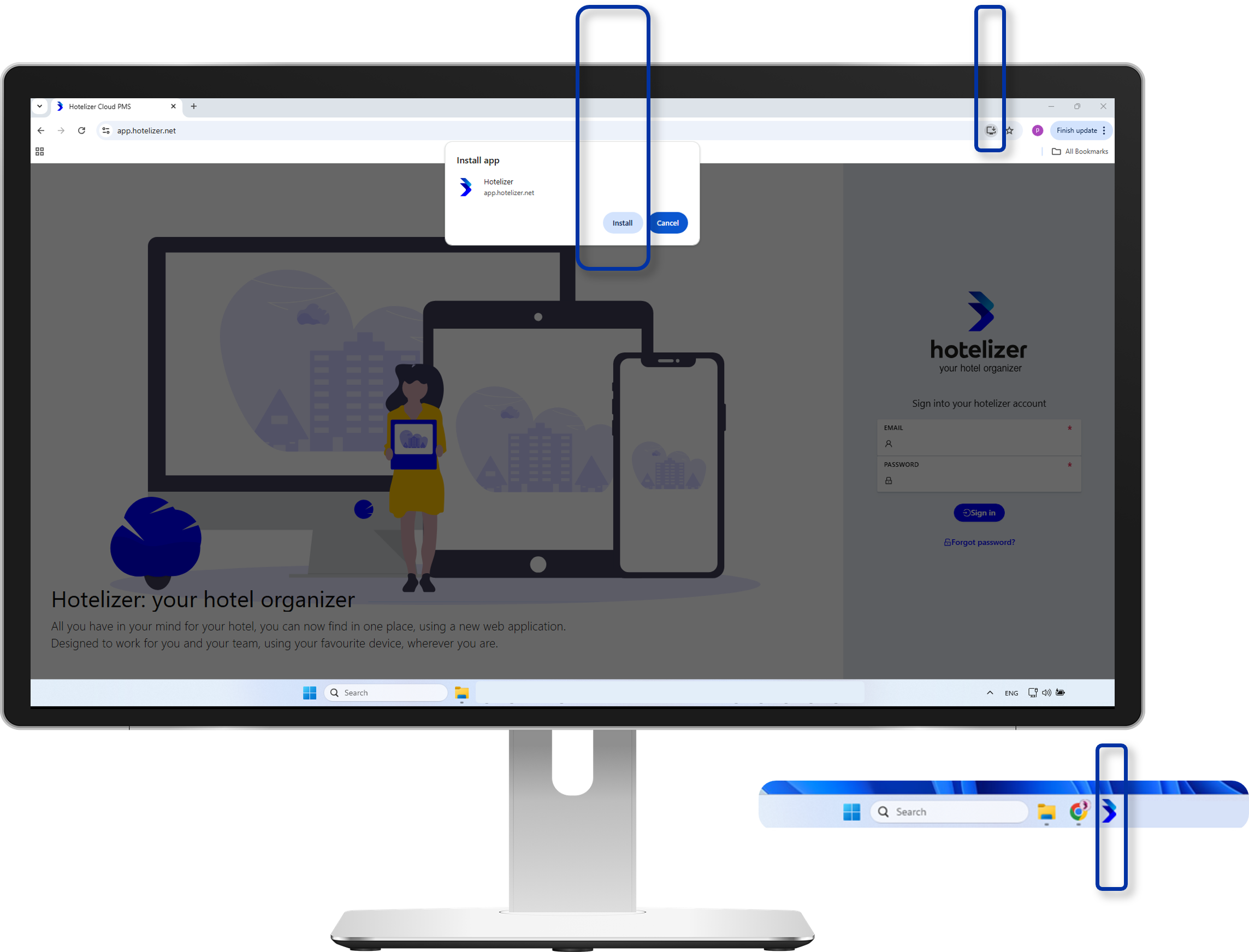
For Chrome on Windows or Mac:
✔ Open app.hotelizer.net in Google Chrome.
✔ Click the "Install Hotelizer" icon on the right side of the address bar.
✔ Click "Install", and you're all set.
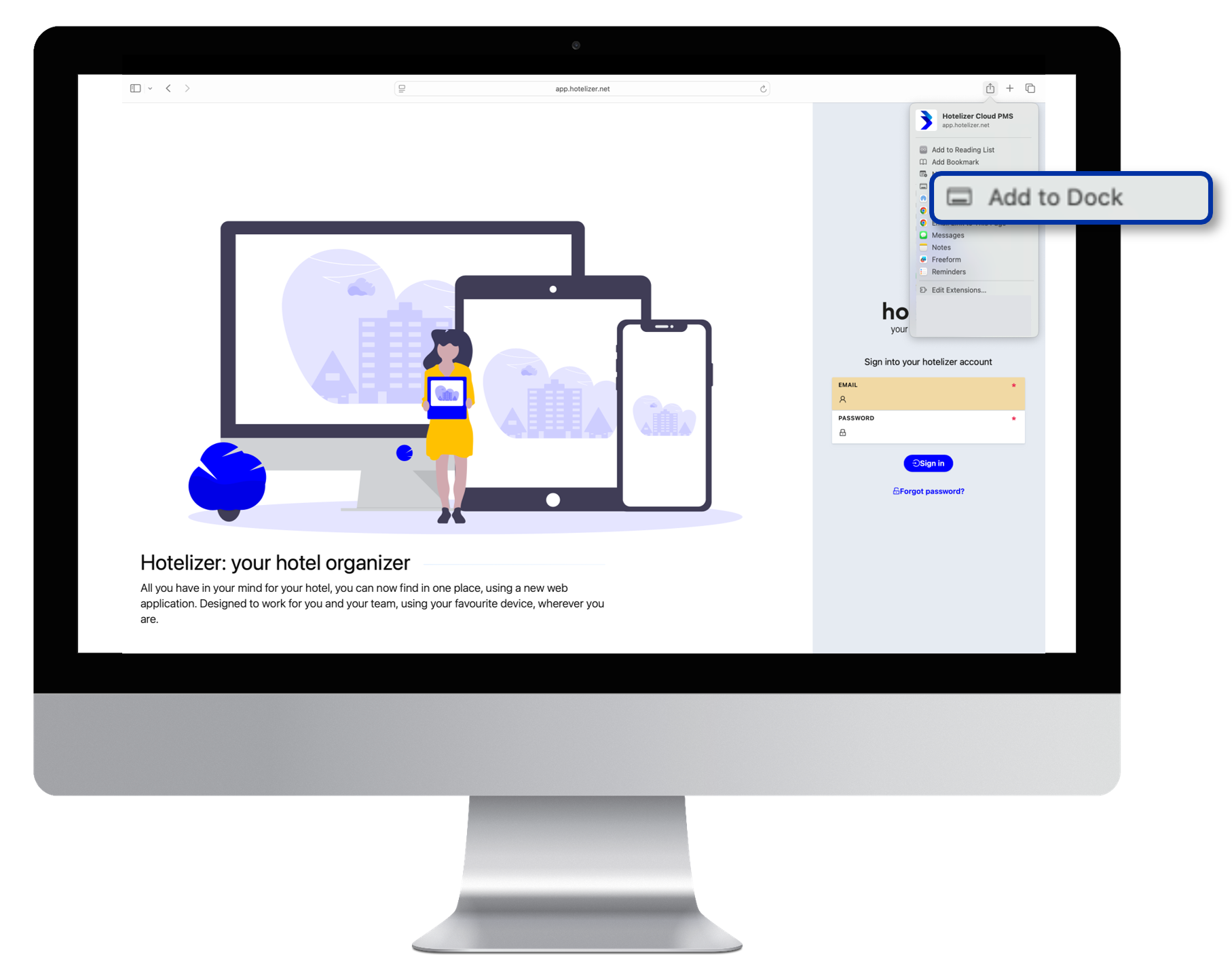
For Safari on Mac:
✔ Open app.hotelizer.net in Safari.
✔ From the menu, select File > Add to Dock.
✔ That's it! Hotelizer will now appear as an app in your Dock.
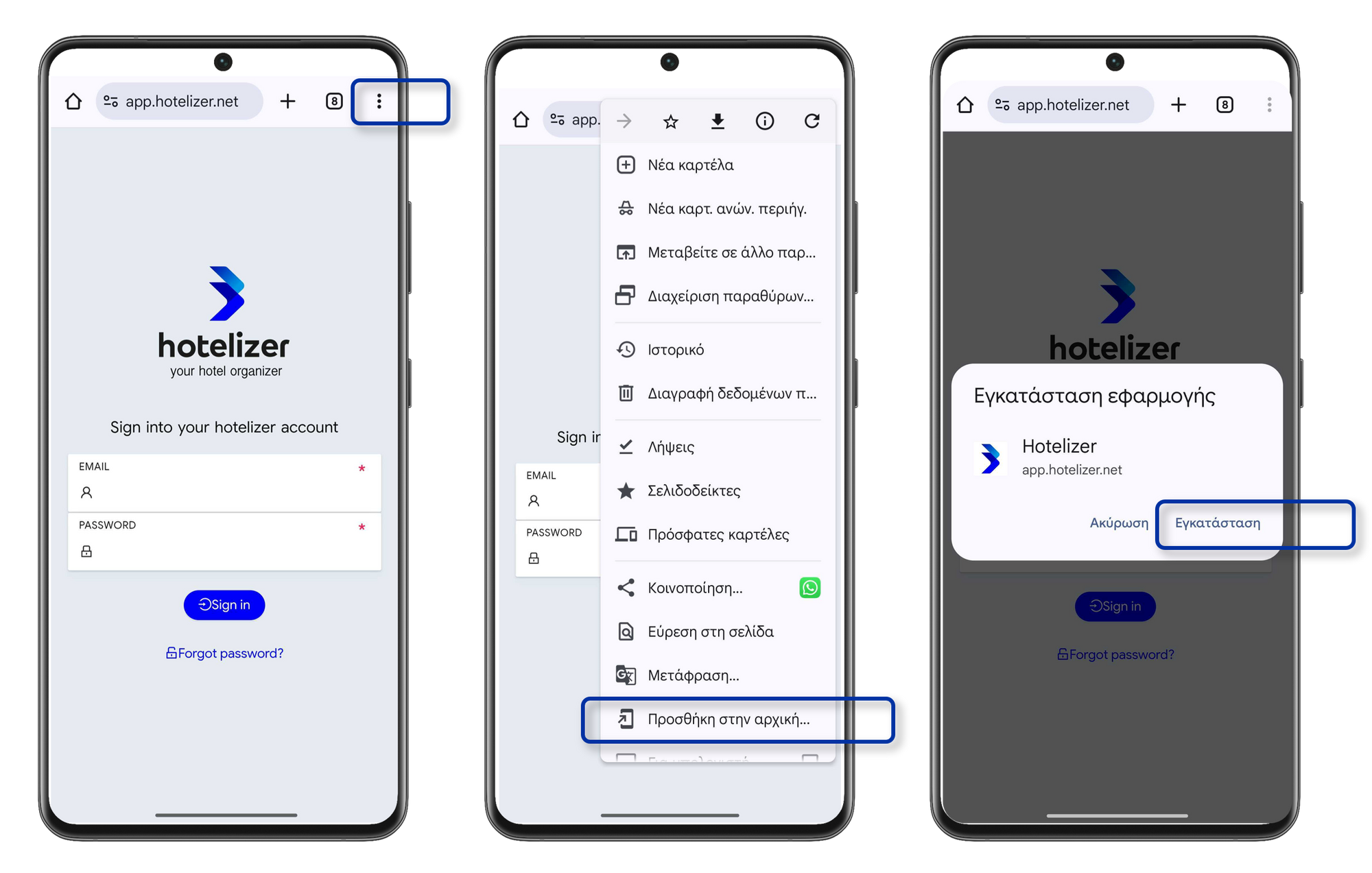
For Android:
✔ Open app.hotelizer.net in Chrome.
✔ Tap the three-dot menu.
✔ Select "Add to Home screen."
✔ Confirm, and you're ready to go.
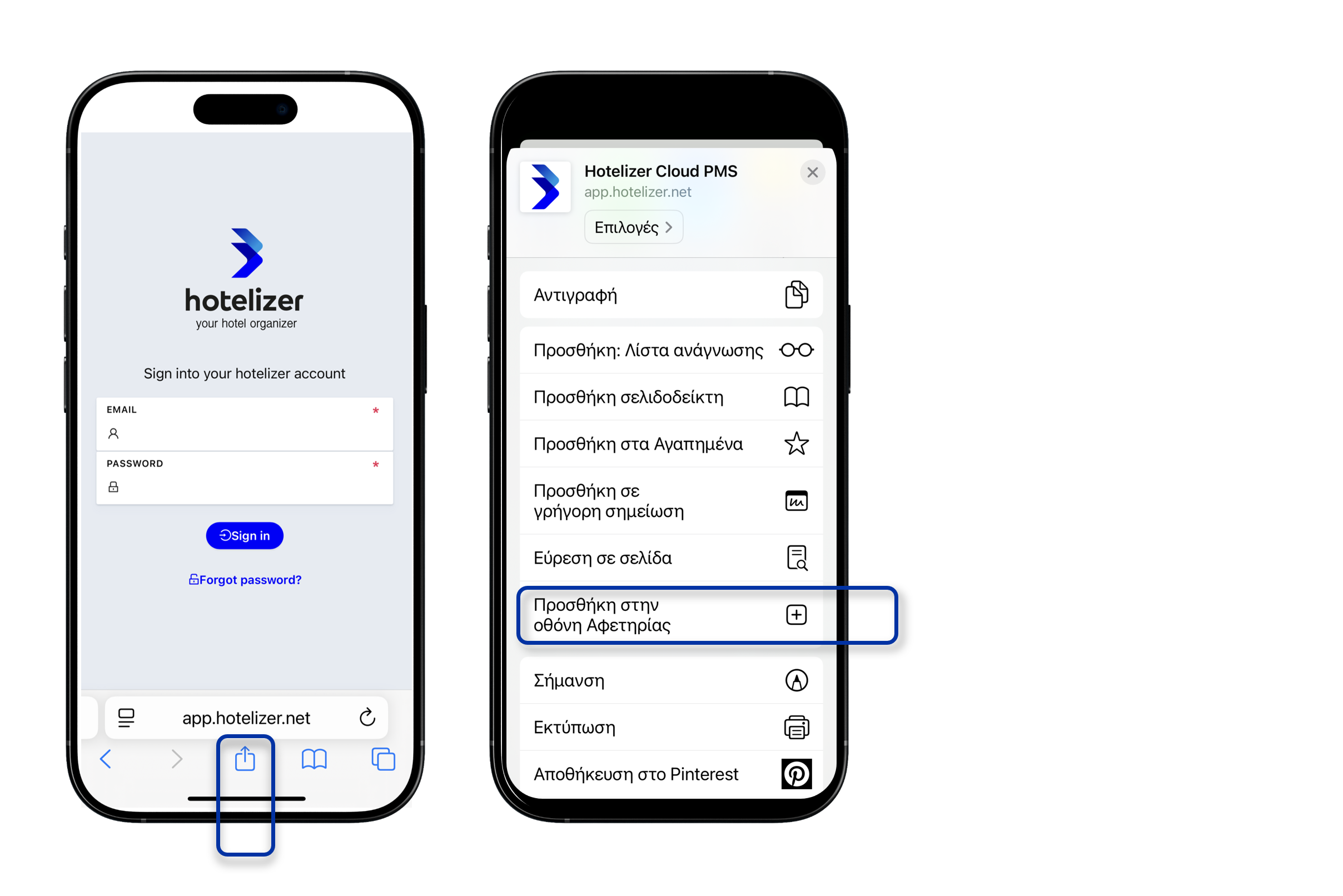
For iOS (iPhone/iPad):
✔ Open app.hotelizer.net in Safari.
✔ Tap the Share icon.
✔ Select "Add to Home Screen."
✔ You're all set.
Tip: Once installed, enable push notifications to receive real-time alerts for bookings, check-ins/check-outs, cancellations, and more.

Here are some recommended Click2Learn videos that you may find useful during this period:
✔ Click on each image to watch the step-by-step video.
✔ Add English subtitles to the videos.
Associate
payments
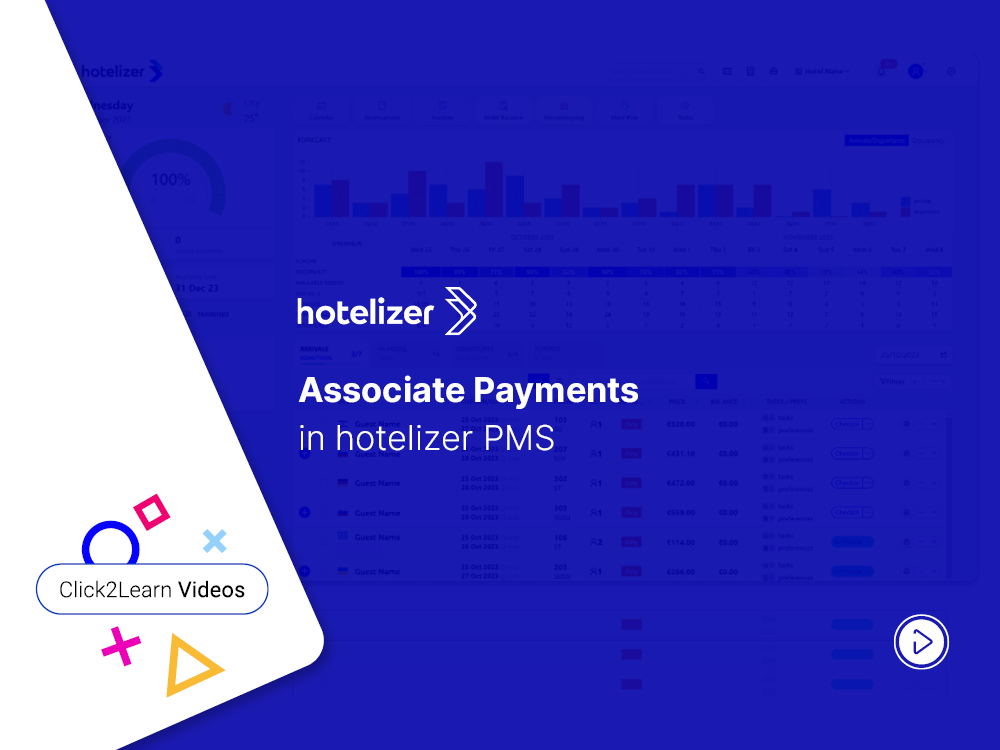
Issue a
credit note
Invoice
a booking
Group bookings
invoicing
Transfer charges
to a reservation
Invoice
outside a booking
Manage
availability
Find all Click2Learn Videos directly on the hotelizer platform. Just click the icon in the top-right corner and select Click2Learn Videos.
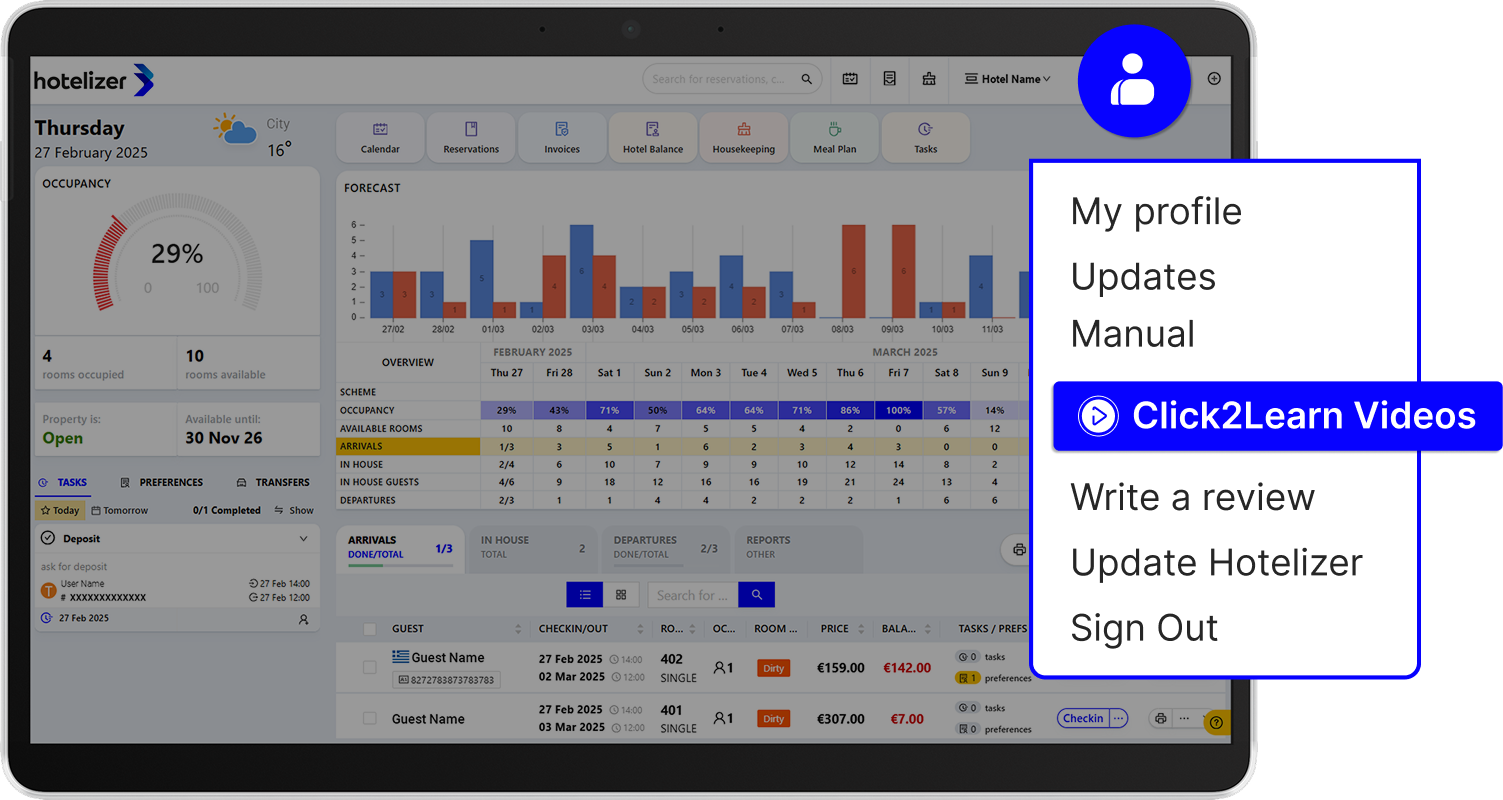
Find them all here.
If hotelizer has helped you in your day-to-day operations, it would mean a lot to us if you could share your experience by clicking the button below and leaving a review.